Good benchmarking starts with trustworthy data. But finding that data, evaluating whether it's credible, and then actually comparing it against your own product results? That's historically been a fragmented, tedious, and manual process.
Not anymore!
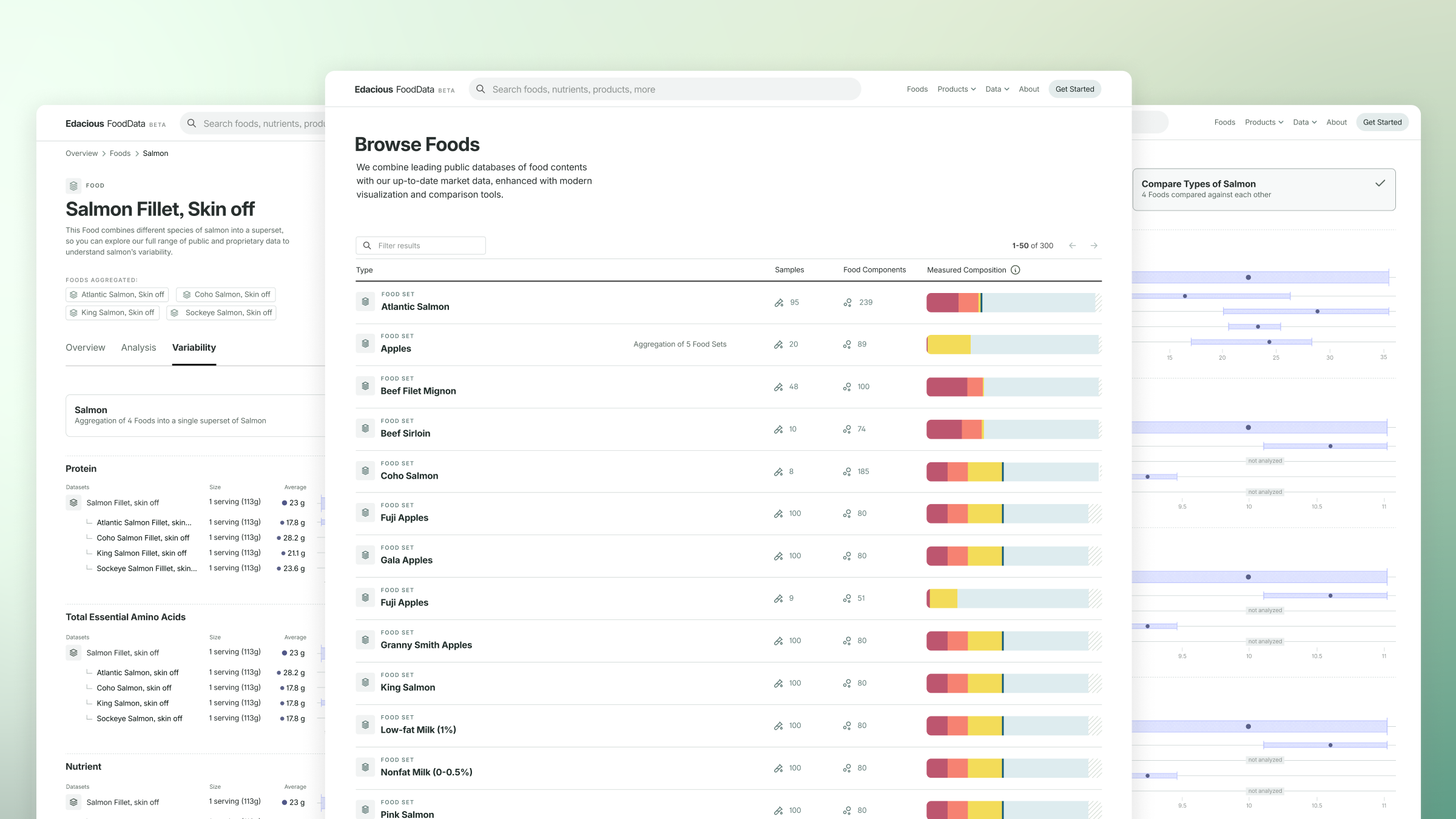
Data from USDA's FoodData Central is now available to browse, explore, and compare directly within the Edacious Pro Platform. No exporting. No compiling. No wondering if you're looking at the right source. The most widely cited food composition database in the U.S. is now one of your built-in tools.
Why We Use USDA FoodData Central
USDA's FoodData Central is the authoritative source for food composition data in the United States. It's the benchmark that researchers, regulatory bodies, and nutrition scientists rely on, and it's the logical starting point for any brand that wants to understand where their product stands in the broader landscape of food quality.
The challenge has always been accessibility. While the data exists, making it actionable requires work that most teams don't have time for. This integration aims to remove that friction entirely and give you an all-in-one resource for data comparisons.
Search, Explore, and Compare USDA Food Records in One Place
- Search and browse USDA data — No more navigating a government database to find what you're looking for. Explore USDA food records in a modern interface, with the same analysis tables and visualizations you already use in Edacious’ Pro Platform.
- Go deeper on any food record — Every USDA food record is presented with contextual analysis, so you can understand the data rather than just looking up a number.
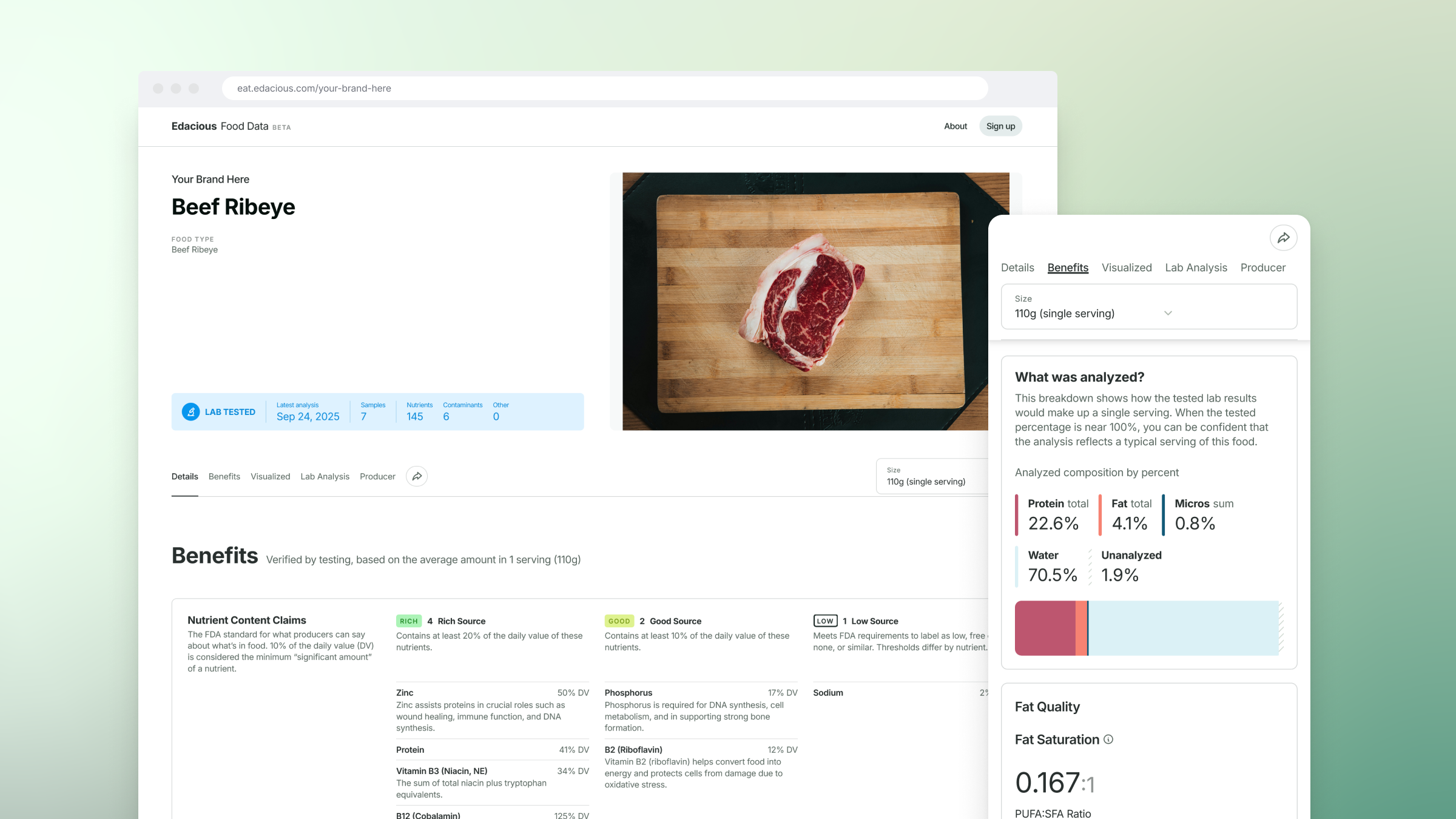
- Compare your product directly against any USDA food record — For brands that want to understand how their product stacks up against established benchmarks, this is the comparison view you've been waiting for. Add any USDA data set to your Product Compare page and see your results side by side, with all of the visualizations the platform already provides.
.png)
How to Access USDA Food Data in Edacious’ Pro Platform
Browse and explore access is available for Discovery and Essentials plan users within the Edacious Pro Platform. To get started, log in and click the globe icon in the left navigation bar, then select "USDA Data Sets."
Direct product comparison is available for Core and Advanced+ plan users. From any USDA data set page, you can add it to the product of your choosing, or add it directly from your Product Compare page by selecting "add/remove data sets" from the data menu.
.png)
Built for Food Brands, Farmers, and Producers Who Need Real Benchmarks
This feature serves a wide range of Edacious users: from farmers and producers who want to understand how their raw ingredients compare to national averages, to food and CPG brands building a fact-based case for the nutritional quality of their products. If benchmarking, comparison claims, or competitive differentiation are part of your work, this belongs in your workflow.
Log in to explore USDA data against your products.
Not yet on a plan that includes product comparisons? See what's included at each tier.